Avalon3 — Multi-AI Debate System
Avalon3 is a system where multiple AIs use a Collective Intelligence approach to debate, then generate code based on the results. It reduces the bias of any single AI and produces higher-quality results.
Overview
Why Avalon3?
When you rely on a single AI for code, you can be limited by that AI's biases and blind spots. Avalon3 solves this problem through multi-AI collective intelligence:
| Aspect | Single AI | Avalon3 |
|---|---|---|
| Perspective | One viewpoint | All AIs analyze from 6 perspectives |
| Error Detection | Self-review | All debaters except the implementer review in parallel |
| Design Quality | AI-dependent | Optimized through multi-angle debate |
| Code Quality | Potentially biased | Includes review + refinement process |
The Four Roles
Avalon3 has 4 distinct roles. A single AI can serve multiple roles:
| Role | Description | Selection | Active Stages |
|---|---|---|---|
| Debater | Analyzes the project from 6 perspectives and debates | Multiple selection (all AIs participate) | Research, Debate |
| Synthesizer | Consolidates debate results into a single design document | Single selection | Synthesis |
| Implementer | Writes all code based on the design | Single selection | Implementation, Refinement |
| Reviewer | Validates the quality of implemented code | Automatic (debaters minus implementer) | Review, Refinement |
Reviewers are determined automatically. All debaters except the implementer become reviewers, preventing any AI from reviewing its own code.
Example: 4 AIs Participating
When using Claude, Gemini, Ollama, and OpenCode:
| Stage | Participating AIs | Description |
|---|---|---|
| Research | Claude + Gemini + Ollama + OpenCode | All 4 research in parallel |
| Debate | Claude + Gemini + Ollama + OpenCode | All 4 debate across 6 perspectives |
| Synthesis | Gemini (synthesizer) | Consolidates debate into a single design |
| Implementation | Claude (implementer) | Writes all code based on the design |
| Review | Gemini + Ollama + OpenCode | 3 reviewers (excluding implementer) review in parallel |
| Refinement | Claude fixes → 3 re-review | Only runs when critical issues are found |
6-Stage Pipeline
Research → Debate → Synthesis → Implementation → Review → Refinement

Stage 1: Research
All debaters investigate relevant information in parallel:
- Analyze existing code and project structure
- Research the tech stack and dependencies
- Review best practices and design patterns
How Each AI Researches Differently
During the Research stage, each AI leverages its own built-in tools to gather information. This means the depth and scope of research varies by AI:
| AI | Research Method | Characteristics |
|---|---|---|
| Claude Code | Actively browses the web using built-in browser tools | Investigates latest docs, API references, GitHub issues in real time |
| Gemini CLI | Google Search grounding support | Reflects up-to-date information based on Google search results |
| Ollama | Training data-based analysis | No web access; relies on pre-trained knowledge of the local model |
| OpenCode | Varies by backend model | Depends on the capabilities of the connected AI model |
Claude Code has built-in WebSearch and WebFetch tools, allowing it to autonomously open a browser during the Research stage and directly explore technical documentation, library release notes, community discussions, and more. This enables it to gather the latest information beyond its training data knowledge cutoff.
When AIs with diverse research capabilities participate together, deep analysis from training data combines with real-time web information to produce richer foundational material.
Stage 2: Debate
The core of Avalon3 — collective intelligence debate. Instead of an "Architect vs. Critic" model, all AIs analyze together from the same perspective.
Why Do All AIs Analyze from the Same Perspective?
A common approach is to assign each AI a different role — for example, "AI-A handles security, AI-B designs architecture." Avalon3 deliberately takes a different approach: all AIs analyze together across every perspective:
| Problem | Role-Assignment Approach | Avalon3 Approach |
|---|---|---|
| Uneven AI capability | A weaker AI produces lower-quality analysis for its assigned perspective | All AIs analyze every perspective, so no single perspective suffers from a weaker AI |
| Disconnected perspectives | Each AI only knows its own role and misses the bigger picture | All AIs go through all 6 perspectives, gaining a holistic understanding of the project |
| No cross-validation | Only one opinion exists per perspective | Multiple AIs validate and complement each other's analysis within the same perspective |
| Lack of progressive depth | Each AI analyzes independently, limiting depth | Sequential speaking allows each AI to build on previous contributions for deeper analysis |
For example, if security analysis is assigned solely to Claude, the result depends entirely on Claude's security expertise. In Avalon3, however, Claude, Gemini, Ollama, and OpenCode all speak sequentially on the Security perspective — so a vulnerability missed by one AI can be caught by another.

Six fixed perspectives are addressed sequentially:
| Order | Perspective | Focus |
|---|---|---|
| 1 | 🏗️ Architecture | Structure, scalability, maintainability, design patterns |
| 2 | 🔒 Security | Vulnerabilities, edge cases, input validation, authentication |
| 3 | ⚡ Practical | Performance, simplicity, pragmatism, MVP |
| 4 | 👤 UX & API | API usability, error messages, documentation |
| 5 | 😈 Challenge | Finding weaknesses, questioning assumptions, counterarguments |
| 6 | 🌟 Synthesis | Integrating all analyses, reaching final consensus |
Stage 3: Synthesis
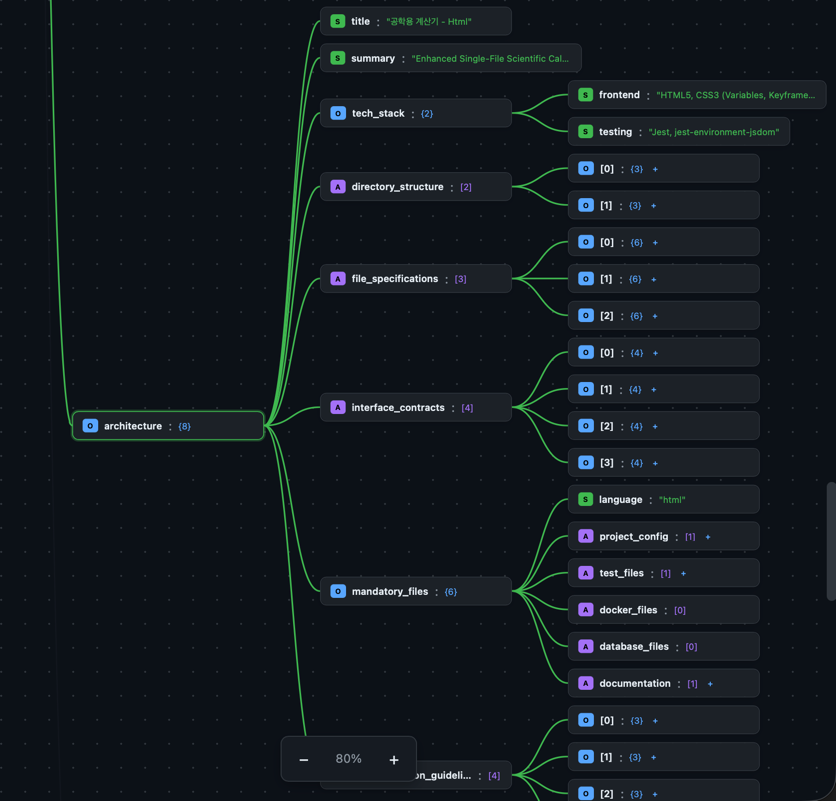
The synthesizer analyzes the entire debate transcript and produces a single design document:
- Directory structure
- Per-file specifications (path, purpose, exports, imports, dependencies)
- Interface contracts
- Mandatory file list
- Implementation guidelines
Stage 4: Implementation
A single implementer writes all code based on the design:
- Files are generated sequentially in dependency order
- Previously generated files are included as context
- Ensures consistent coding style and naming conventions
Stage 5: Review
All debaters except the implementer review the code in parallel:
| Review Category | Description |
|---|---|
| Design Compliance | File paths and function signatures match the design |
| Import Verification | No circular references or missing modules |
| Completeness | Detects pass, TODO, NotImplementedError, and other placeholders |
| Code Quality | Error handling, logging, and type hints |
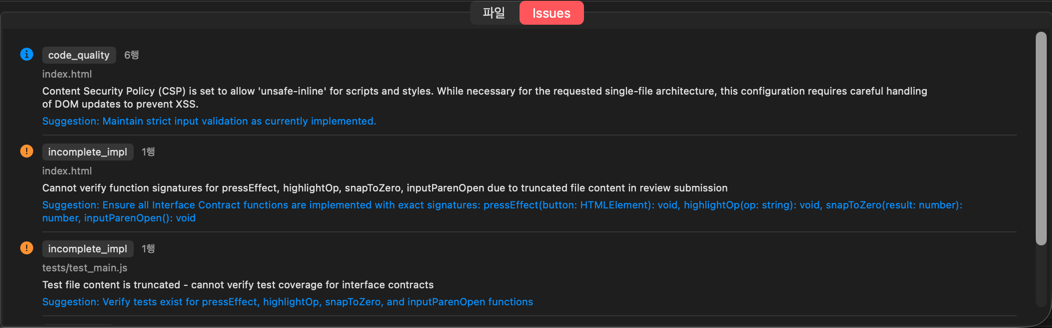
| Severity | Meaning | Refinement |
|---|---|---|
| Critical (red) | Security vulnerabilities, logic errors | Must be fixed |
| Warning (orange) | Potential issues | Selectively fixed |
| Info (blue) | Improvement suggestions | Reference only |
Stage 6: Refinement
This stage only runs when critical issues are found in the review:
- The implementer fixes issues grouped by related files
- Reviewers re-review the modified code
- Repeats until no critical issues remain (up to 3 iterations)
Avalon3 UI
Sidebar
Settings Tab
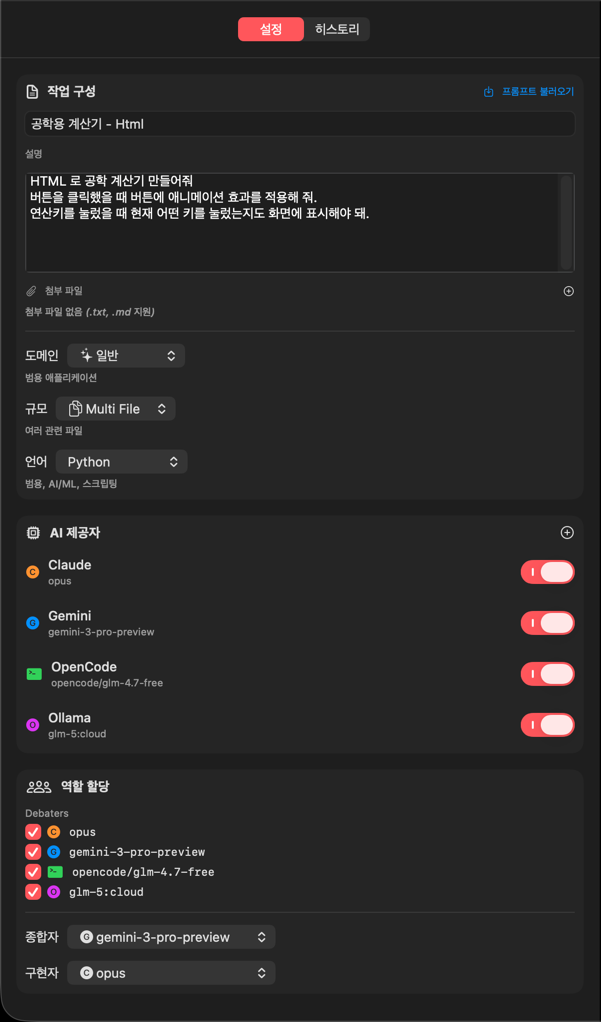
| Setting | Description | Options |
|---|---|---|
| Task Title | Project/task name | Free text |
| Task Description | Detailed requirements | Free text (long form) |
| Domain | Project type | General, API, Web, CLI, Trading, ML/AI, Data, Game, Embedded |
| Scale | Project size | Single File, Multi File, Module, Project |
| Language | Programming language | Python, JS, TS, Rust, Go, Java, C#, etc. |
| Attachments | Reference documents | .txt, .md files |

Domain
The domain setting provides AI debate context and determines mandatory files for the project:
| Domain | Context for AIs | Auto-Added Mandatory Files |
|---|---|---|
| General | General-purpose software | (common files only) |
| API | REST/GraphQL API server | schema.sql, migrations/, openapi.yaml |
| Web | Web frontend | index.html, public/ |
| CLI | Command-line tool | (common files only) |
| Trading | Trading/financial systems | config.yaml, secrets.example.yaml |
| ML/AI | Machine learning/AI projects | requirements-dev.txt, notebooks/, data/.gitkeep |
| Data | Data processing | (common files only) |
| Game | Game development | (common files only) |
| Embedded | Embedded systems | (common files only) |
Scale
Scale provides the AIs with a project size hint:
| Scale | Intended Scope | Effect on AI |
|---|---|---|
| Single File | One file | Simple script/utility-level design |
| Multi File | Several files | Small multi-file project |
| Module (default) | Module-level | Modular architecture design |
| Project | Full project | Complete project structure with tests and docs |
Scale serves as a guideline that AIs reference during Debate and Synthesis to adjust design complexity. No programmatic limits (such as file count restrictions) are enforced.
Language
The programming language setting has a direct, practical impact on code generation and validation:
| Impact Area | Description | Example (Python) |
|---|---|---|
| Project Config Files | Auto-generates language-specific config files | requirements.txt, pyproject.toml |
| Test File Patterns | Test file validation rules | tests/test_*.py, conftest.py |
| Verification Commands | Build/lint/test commands | pytest, mypy, flake8 |
| Syntax Checking | Grammar validation of generated code | compile() syntax check |
| Language | Project Config Files | Verification Commands |
|---|---|---|
| Python | requirements.txt, pyproject.toml | pytest, mypy, flake8 |
| JavaScript | package.json | npm install, eslint, npm test |
| TypeScript | package.json, tsconfig.json | tsc --noEmit, eslint, npm test |
| Go | go.mod | go build, go test |
| Rust | Cargo.toml | cargo check, cargo test, cargo clippy |
| Java | pom.xml or build.gradle | mvn compile, mvn test |
| C# | .csproj, .sln | dotnet build, dotnet test |
AI Provider Settings
You can assign different AIs to each role:
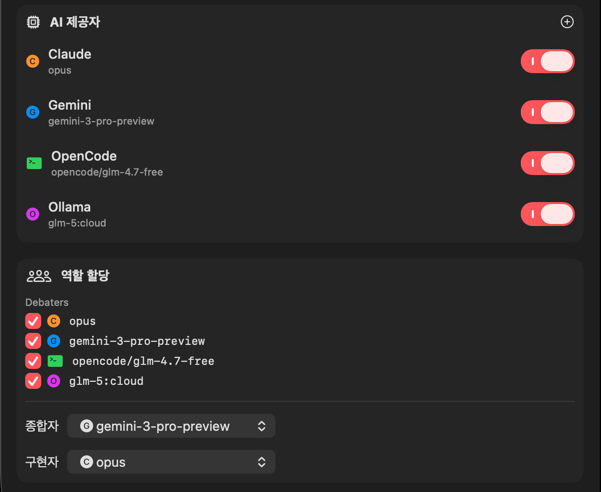
| Role | Description | Selection |
|---|---|---|
| Debaters | AIs participating in research and debate | Multiple selection |
| Synthesizer | AI that consolidates debate results into a design document | Single selection |
| Implementer | AI that writes the code | Single selection |
Reviewers are not separately selected. All debaters except the implementer automatically become reviewers.
Supported AI Providers:
| Provider | Description | Notes |
|---|---|---|
| Claude CLI | Anthropic Claude | Most stable |
| Gemini CLI | Google Gemini | Fast responses |
| Ollama | Local AI models | No network required |
| OpenCode | Open-source AI | Free |
Ollama also supports remote servers. Use the
host:port|modelformat (e.g.,192.168.1.100:11434|llama3).
History Tab
View previous runs and reuse their settings:
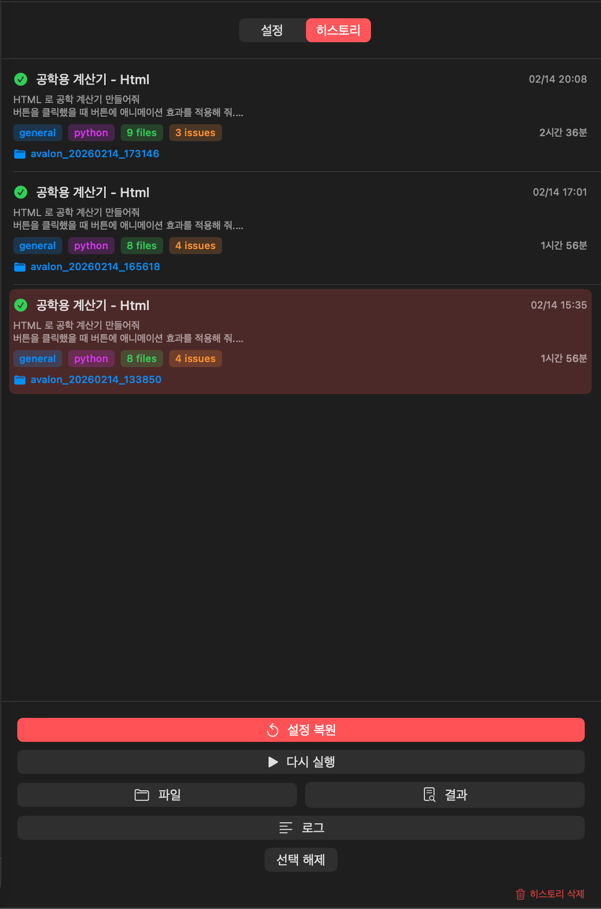
- Run date, title, and task ID
- Stage count, success/failure status
- Click to reload previous settings
Execution Panel (Right)
Run Tab
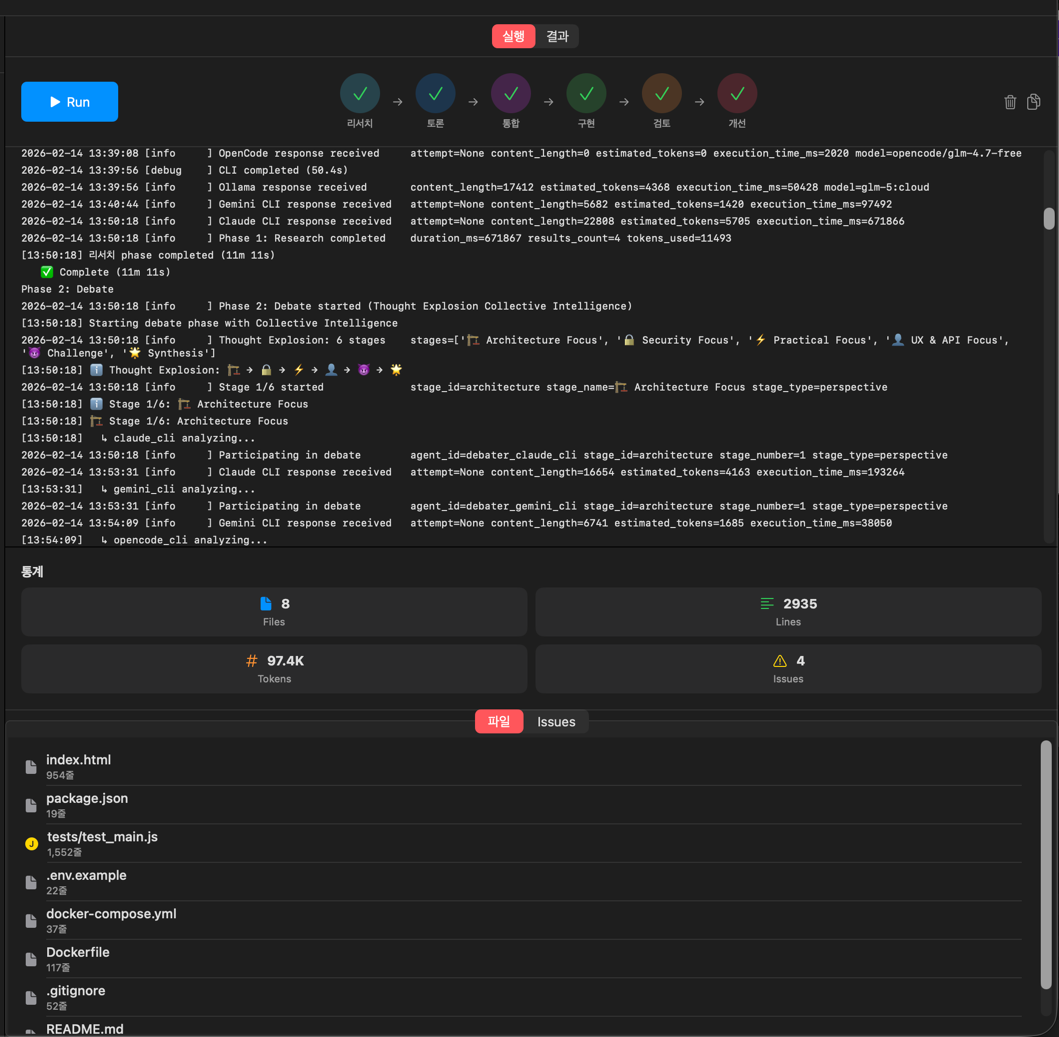
- Progress Bar — Current position within the 6 stages
- Current Stage — Name of the running stage
- Current Provider — Name of the AI in use
- Log Output — Real-time log with timestamps
Results Tab
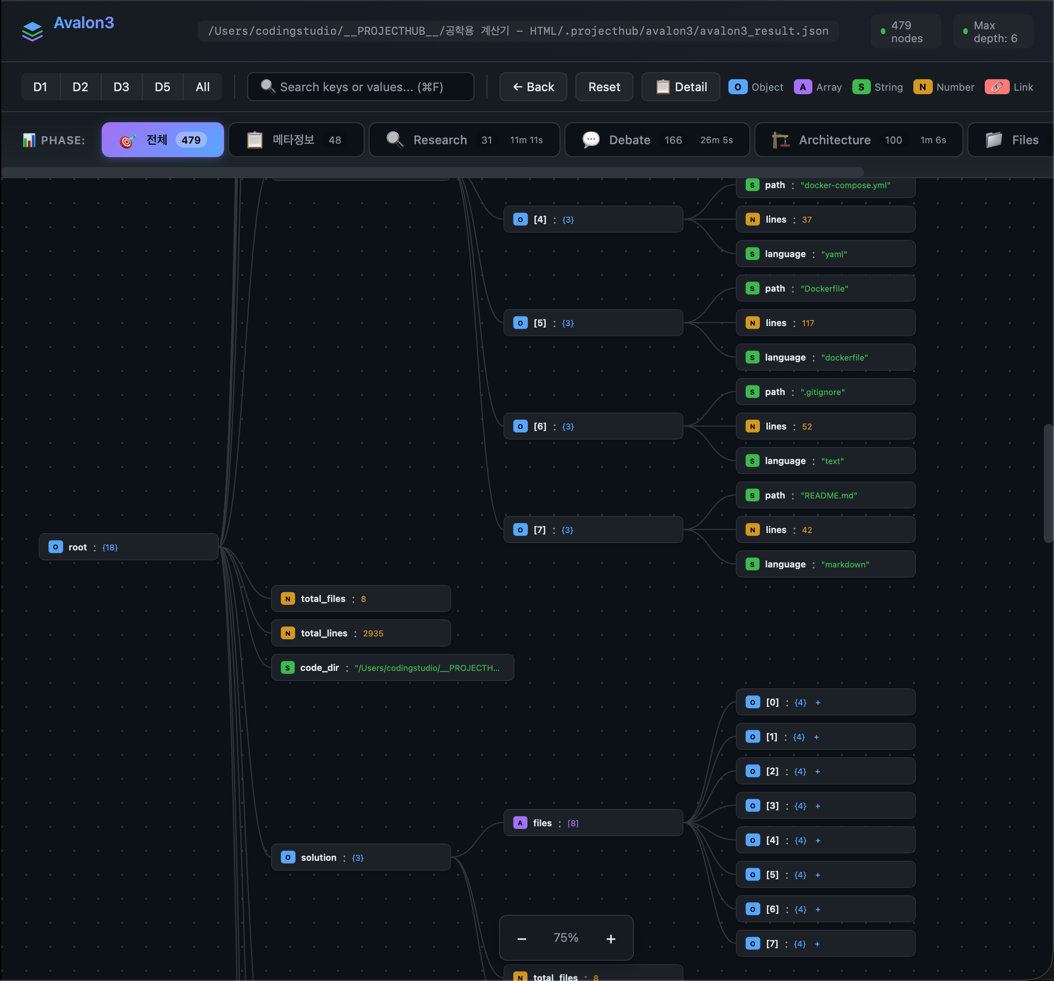
- Generated File List — File name, size, language
- Review Issues — Categorized as Critical/Warning/Info
- Statistics — File count, lines of code, token count, elapsed time
- README.md — Auto-generated documentation
Completion Popup
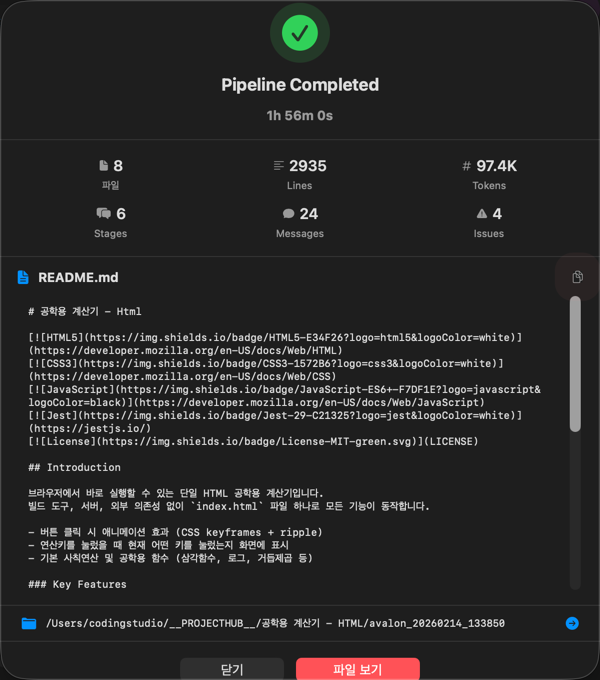
When the pipeline finishes, a popup appears with the following information:
- Task ID
- Number of generated files
- Lines of code
- Elapsed time
- View Results / Go to Files Tab buttons
Prompt Library Integration
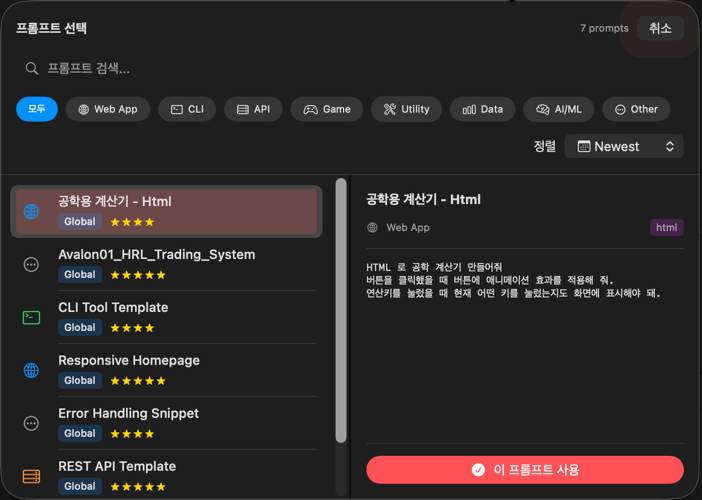
You can load prompts from the Prompt Library into the task description in Avalon3 settings:
- Click the Load Prompt button in the Settings tab
- Search and select a prompt
- The selected prompt is automatically inserted into the task description
Output Location
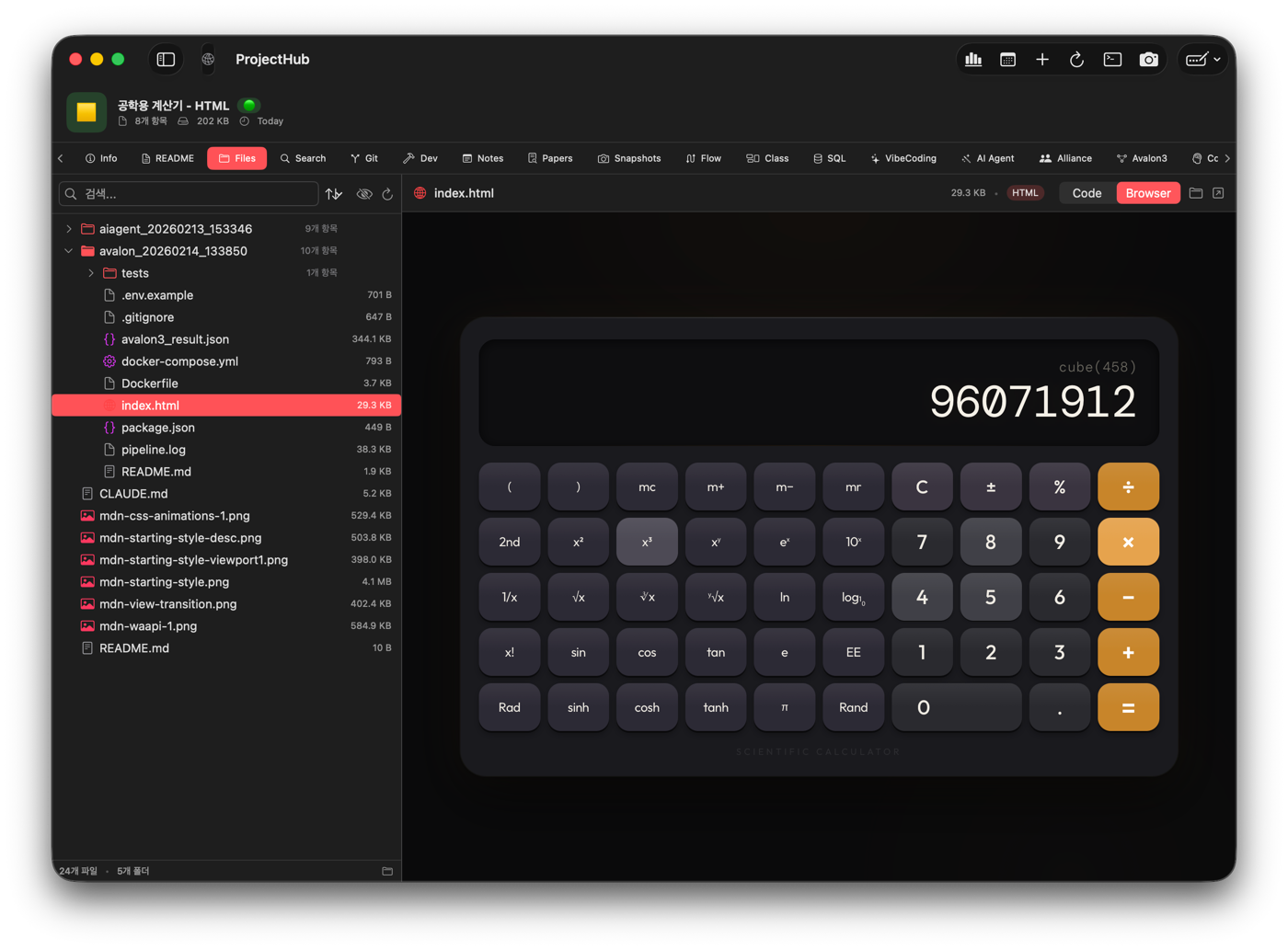
{project}/
├── avalon_{timestamp}/              # Generated source code directory
│   ├── (source code files)
│   ├── README.md                    # Auto-generated documentation
│   └── avalon3_result.json          # Full result JSON
└── .projecthub/
    └── avalon3/
        ├── avalon3_result.json      # Result viewer copy (same content)
        └── history.json             # Run history
avalon3_result.json contains integrated results from all pipeline stages:
| Key | Content | Pipeline Stage |
|---|---|---|
research | Each AI's research findings and recommendations | Research |
debate | Debate messages per round, participants, timestamps | Debate |
architecture | Synthesized design document (tech stack, directory structure, file specs, interface contracts, implementation guidelines) | Synthesis |
review | Issues per reviewer (Critical/Warning/Info), approval status | Review |
solution | All generated source code (path, content, language per file) | Implementation |
summary | Statistics (file count, debate messages, token usage, elapsed time) | Overall |
Use Cases
Architecture Design
When designing the architecture for a complex system, multiple AIs analyze from 6 perspectives (structure, security, practicality, UX, challenge, synthesis) to arrive at the optimal design.
Code Refactoring
AIs use collective intelligence to debate the best refactoring strategy for existing code.
New Feature Implementation
When implementing a new feature, the entire process from multi-angle debate to design, implementation, review, and refinement is handled in one go.