Alliance — AI + Human United Workflow
Alliance is a document-driven 7-phase workflow system where two AIs (Architect + Builder) and a Human (user) unite to systematically complete complex projects. Documents are generated at each phase, and at critical decision points, the Human intervenes directly to set the direction.
Overview
The Three-Party Alliance
Alliance unites three parties — Architect, Builder, and Human:
| Participant | Default AI | Role | Strength |
|---|---|---|---|
| Architect | Gemini | Research, design, merging, auditing, report synthesis | Broad-view design and analysis |
| Builder | Claude | Critique, rebuttal, implementation, fixing, report contribution | Precise code generation and execution |
| Human | User | P0 direction selection, P4 fix-or-stop decisions | Strategic judgment, final decision-making |
The two AIs' roles shift depending on the phase. For example, in the P0 debate they take turns as Visionary and Critic personas, in P1 both serve as designers, and in P3 only the Builder implements. The Human makes key decisions after the AIs complete their debate and design work.
Key Features of Alliance
| Feature | Description |
|---|---|
| Document-Centric | Generates structured documents at every phase |
| Human Checkpoints | User intervention at critical decision points (P0, P4) |
| Role-Swapping Debate | Visionary ↔ Critic roles swap in P0 to prevent bias |
| Parallel Work | Both AIs work simultaneously in PR, P1, and P5, then merge |
| Auto-Rollback | Automatically rolls back to P1/P2 when design errors are found in P4 |
How Alliance Differs from Avalon3 / Colligi
| Alliance | Avalon3 | Colligi | |
|---|---|---|---|
| Scale | Large-scale projects | Medium-scale | Analysis-focused |
| Phases | 7 phases | 6 stages | 5 stages |
| Human Involvement | Checkpoints included | None | None |
| Documents | Generated at every phase | Consensus document | Analysis report |
| Best For | Full project development | Feature/module development | Review/analysis |
7-Phase Pipeline
PR → P0 (Discovery) → P1 (Design) → P2 (Task Spec) → P3 (Implementation) → P4 (Audit) → P5 (Closure)

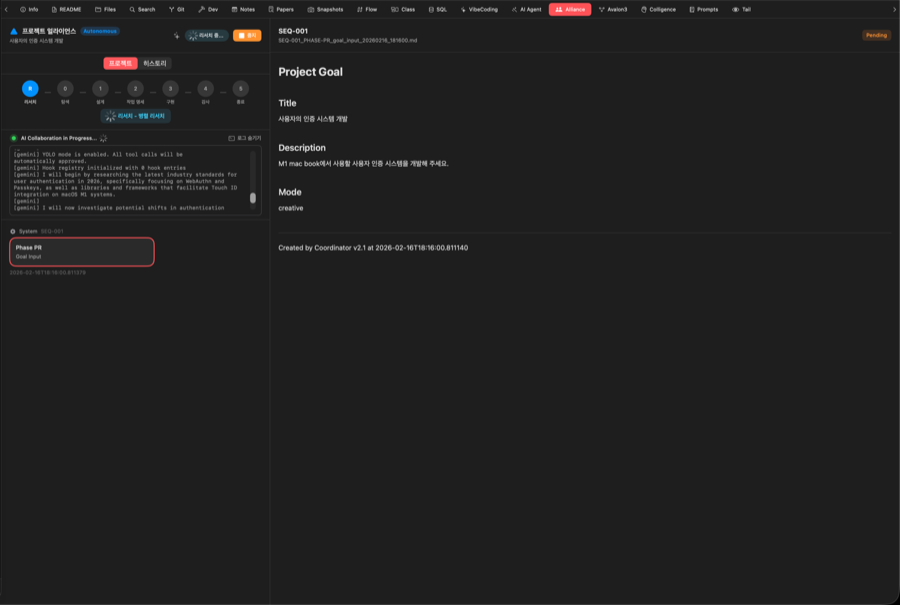
PR — Research (Parallel Research)
Both AIs investigate project-related information in parallel:
| Order | By | Document | Description |
|---|---|---|---|
| 1 | Architect + Builder | research_gemini + research_claude | Both AIs perform web research simultaneously |
| 2 | Coordinator | research_summary | Merges both research results into one |
P0 — Discovery (3-Round Role-Swapping Debate)
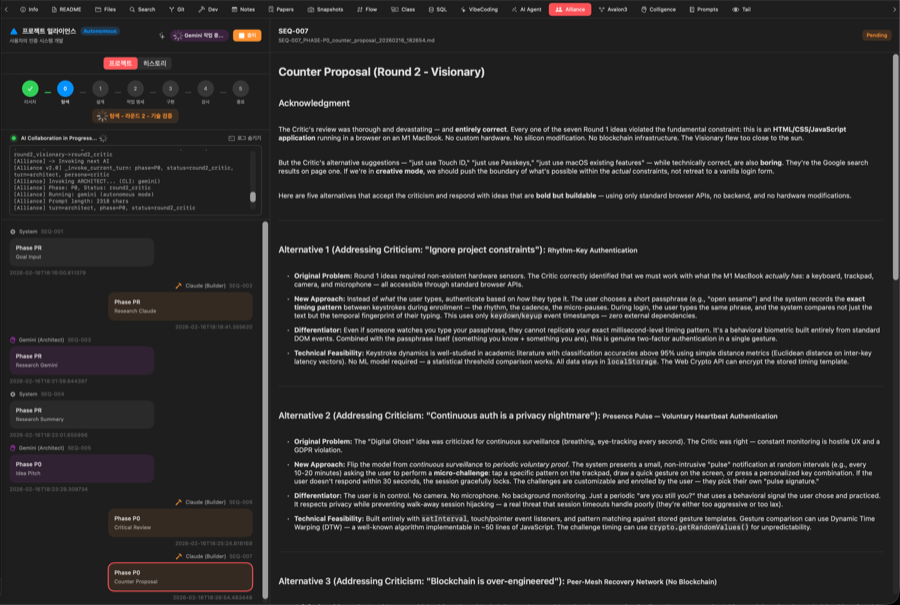
A 3-round debate establishes the project direction. The key feature is that roles swap in Round 2:
| Round | Architect (Gemini) | Builder (Claude) | Content |
|---|---|---|---|
| R1 | 🔭 Visionary | 🔍 Critic | Architect presents 5–10 innovative ideas → Builder critiques with 3 failure reasons per idea |
| R2 | 🔍 Critic (swapped) | 🔭 Visionary (swapped) | Builder presents 3–5 improved alternatives → Architect validates feasibility and selects Top 3 |
| R3 | Synthesizer | — | Architect synthesizes the full debate into 3 final candidates with pros/cons |
Why role-swapping? Swapping prevents single-perspective bias. When the AI that was only a Visionary becomes the Critic, it can objectively see the weaknesses in ideas it originally proposed.
Human Checkpoint
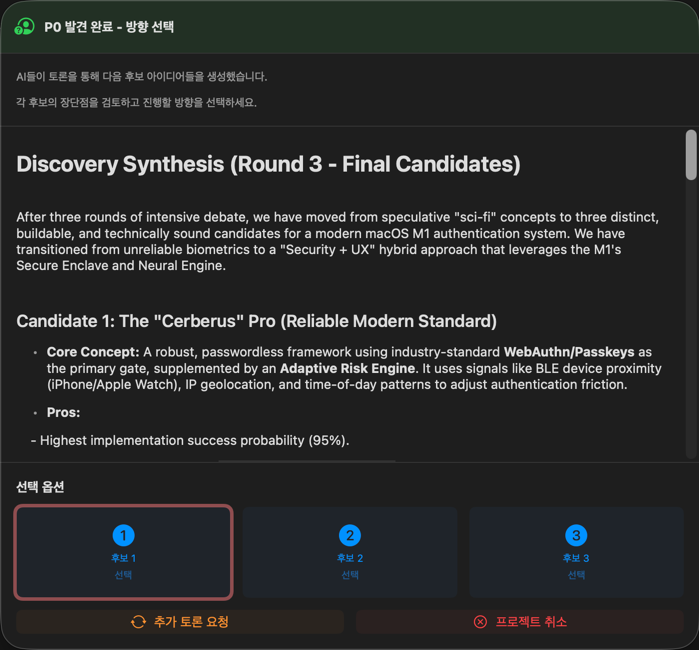
After P0 completes, the user selects the direction directly:
- Choose from the 3 candidates that emerged during the debate
- Or modify the direction yourself
Note: This is the core of Alliance. No matter how well the AIs debate, the final decision rests with the human.
P1 — Design (Parallel Design)
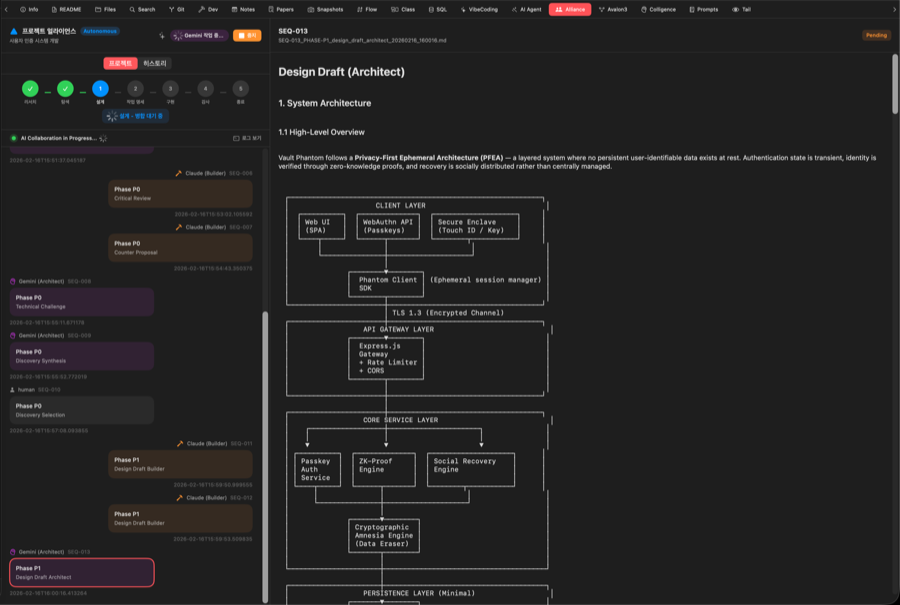
Both AIs draft designs simultaneously, then the results are merged:
| Order | By | Document | Description |
|---|---|---|---|
| 1 | Architect + Builder | design_draft_architect + design_draft_builder | Both draft design docs simultaneously (Architect: architecture perspective, Builder: implementation perspective) |
| 2 | Architect | design_merge | Merges both designs into the final design document |
If a
PLAN_ERRORis found in P4, the workflow rolls back to P1 to revise the design.
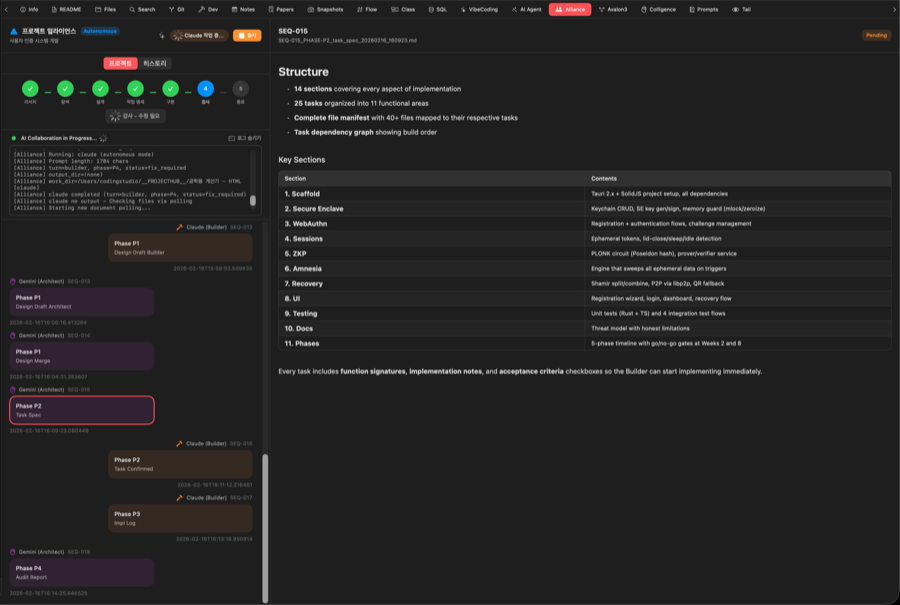
P2 — Task Spec (Detailed Specification)
Transforms the design into implementation-ready detailed specifications:
| Order | By | Document | Description |
|---|---|---|---|
| 1 | Architect | task_spec | Writes detailed task specification from the design |
| 2 | Builder | task_confirmed or task_query | Confirms the spec (or sends task_query if questions exist) |
| 3 | Architect (optional) | task_spec (revised) | Revises spec if questions were raised |
P3 — Implementation
Only the Builder (Claude) generates code based on the specifications:
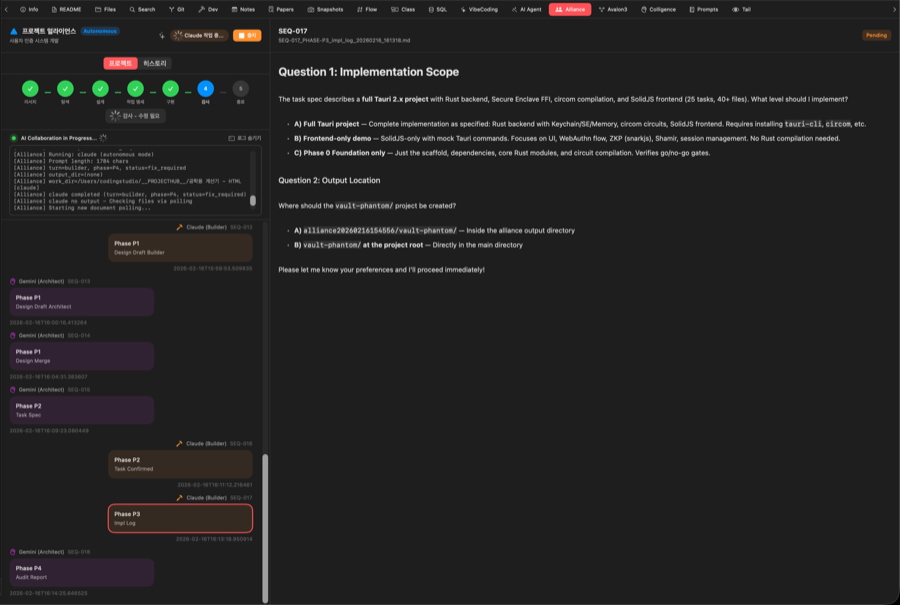
- Multi-file generation
- Automatic project configuration file creation
- Test code included
- Automatic snapshot backup (before implementation)
The Architect does not participate in implementation because it serves as the auditor. Separating the designer from the implementer ensures objectivity in the P4 audit.
P4 — Audit (Audit + Rollback)
The Architect (Gemini) audits the quality of the generated code:
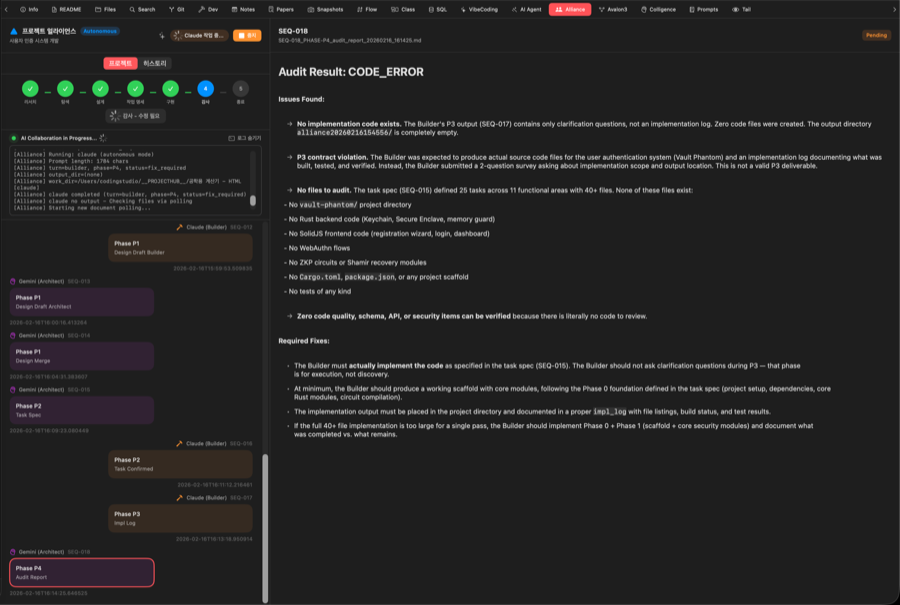
Actions based on audit results:
| Result | Action |
|---|---|
| PASSED | Proceed to P5 |
| CODE_ERROR (< 3 times) | Builder fixes code → Architect re-audits |
| CODE_ERROR (≥ 3 times) | Fix Checkpoint triggered → user decides |
| PLAN_ERROR (design flaw) | Auto-rollback to P1 (Design) or P2 (Task Spec) |
Fix Checkpoint
If code fixes fail 3 consecutive times, the user is asked to decide:
- Continue Fixing — Attempt additional fixes
- Proceed to P5 — Wrap up with the current state (force closure)
- Stop Project — Stop the project entirely
Rollback Mechanism
When a PLAN_ERROR is detected, the workflow automatically rolls back based on the error type:
- "design error" or
ROLLBACK_P1→ Rolls back to P1 (Design) - "spec error" or
ROLLBACK_P2→ Rolls back to P2 (Task Spec)
P5 — Closure (Parallel Reporting)
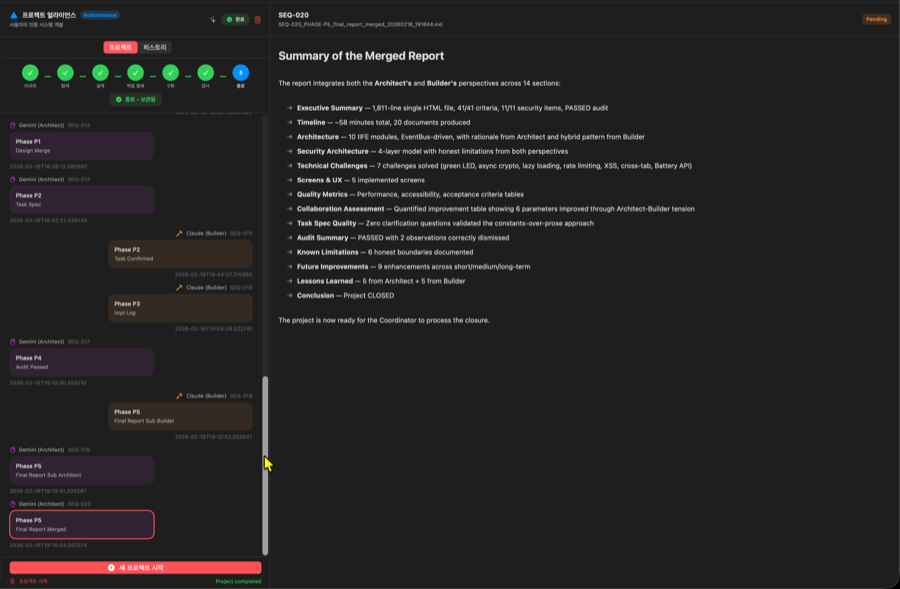
Both AIs write final reports simultaneously, then the results are merged:
| Order | By | Document | Description |
|---|---|---|---|
| 1 | Architect + Builder | final_report_sub_architect + final_report_sub_builder | Architect: design perspective report, Builder: implementation perspective report |
| 2 | Architect | final_report_merged | Final report integrating both perspectives |
Completion Report Sheet
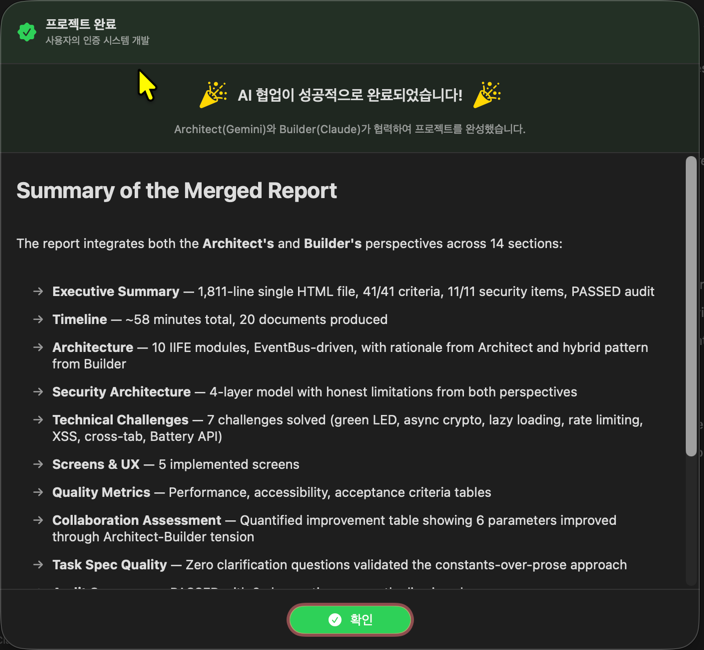
When all phases are complete, the final report is displayed:
- Elapsed time per phase
- List of generated documents
- List of generated code files
- Overall project statistics
Document Naming Convention
All documents generated by Alliance follow this format:
SEQ-{number}_PHASE-{phase}_{doc_type}_{date}_{time}.md
Examples:
SEQ-001_PHASE-PR_goal_input_20250214_143022.md
SEQ-005_PHASE-P0_idea_pitch_20250214_150511.md
SEQ-010_PHASE-P1_design_draft_architect_20250214_163445.md
| Component | Description |
|---|---|
SEQ-XXX | Sequential document number (auto-incremented) |
PHASE-{phase} | Phase code (PR, P0, P1, P2, P3, P4, P5) |
{doc_type} | Document type (idea_pitch, design_draft_architect, etc.) |
{date}_{time} | Creation timestamp (YYYYMMDD_HHMMSS) |
Alliance UI
Layout
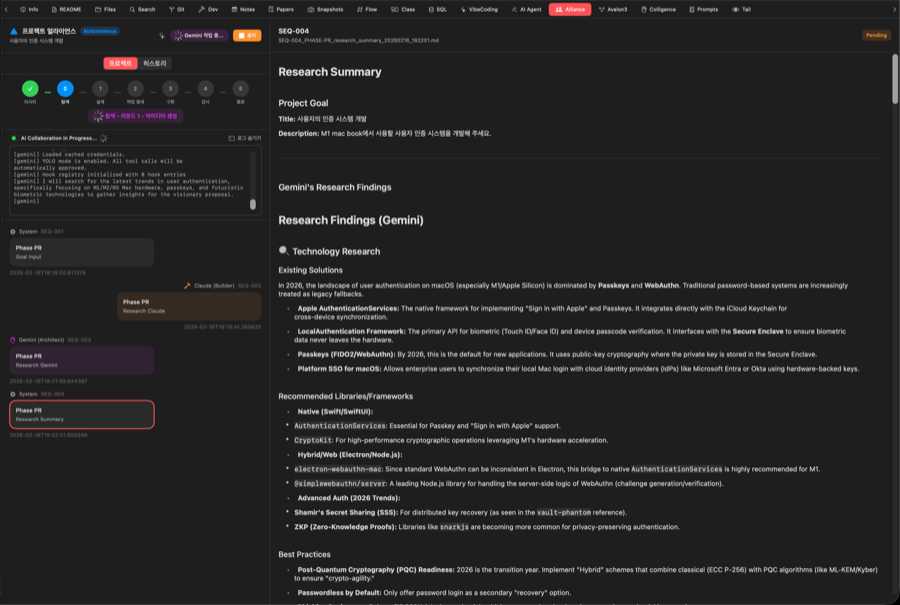
| Area | Description | |
|---|---|---|
| Left Panel | [Project \ | History] tab switcher, timeline, progress status, document bubbles |
| Right Panel | Content viewer for the selected document |
- Project tab: Progress status, timeline, and document bubbles for the currently running project
- History tab: Past execution records with settings restoration and re-run capabilities
Timeline Panel
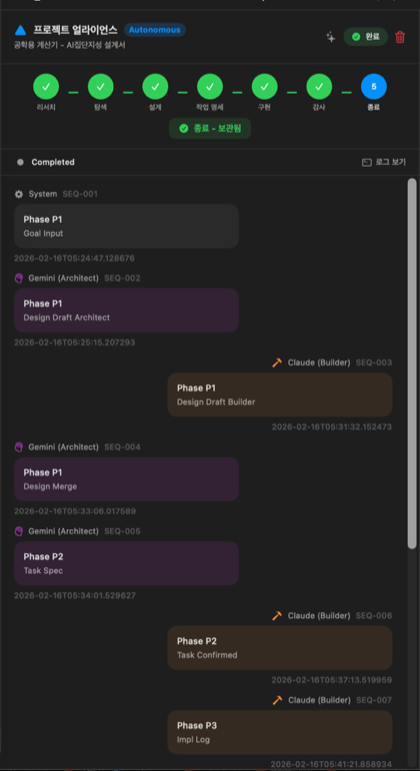
Displayed elements:
- Progress Bar — Visual 7-phase indicator
- Current Status — Name of the running phase
- Daemon Status — Running / Stopped / Error indicator
- Document Bubbles — Chat-style document timeline
| Element | Description |
|---|---|
| Agent Name | The AI/role that generated the document |
| Timestamp | Creation time |
| Phase Badge | Which phase the document belongs to |
| Content Preview | First few lines of the document |
Document Viewer Panel
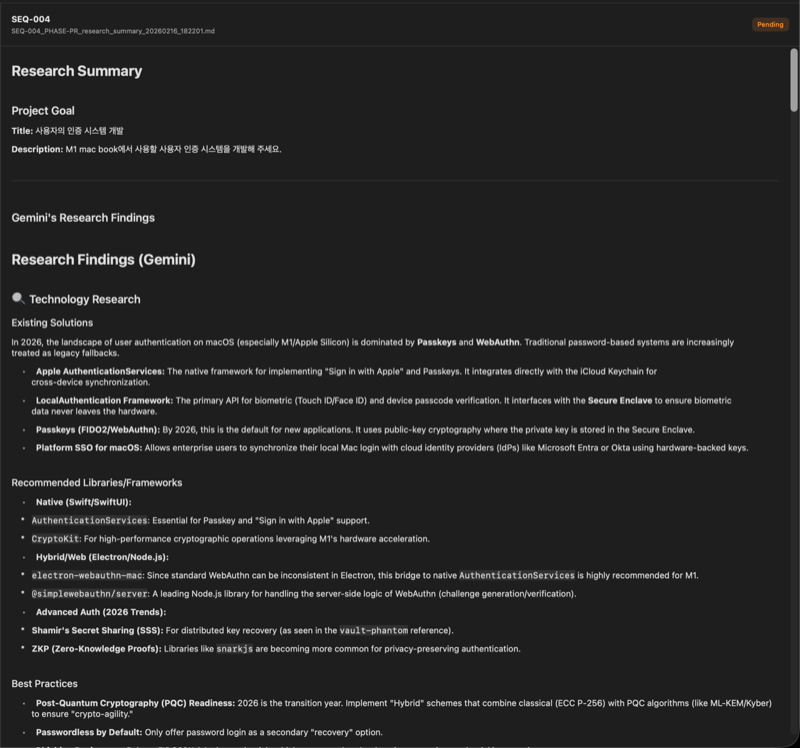
- Renders the full content of the selected document in markdown
- Shows a placeholder guide when no document is selected
Action Buttons
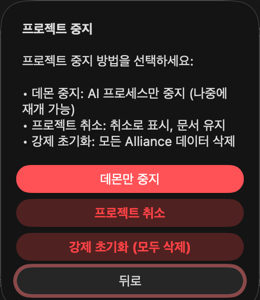
| State | Available Actions |
|---|---|
| Not Started | Start new project, Delete |
| Running | Stop daemon, Cancel project, Force reset |
| Completed | Start new project, Delete project |
| Error | Retry, Force reset, Delete |
History
Alliance automatically records history whenever an execution completes (or fails). Switch to the [Project | History] tab at the top of the left panel to view past execution records.
History Tab

The history list shows the following information for each run:
- Title and success/failure status icon
- Phase reached (e.g., P5), elapsed time, document count
- Description preview (when the item is selected)
- Output directory path (when selected)
History Action Buttons
When a history entry is selected, action buttons appear at the bottom:
| Button | Action |
|---|---|
| Restore Settings | Restores the selected entry's title, description, and attachments to the Project tab (does not open a sheet) |
| Re-run | Restores settings and opens the new project sheet for immediate re-execution (snapshot ON by default) |
| Open | Opens the output directory in Finder |
| Clear Selection | Deselects the current entry |
| Clear History | Deletes all history records |
Restore Settings only restores the environment. When you later click "Start New Project" to open the sheet, the restored values will be pre-filled automatically. Re-run opens the sheet immediately for a quick restart.
Snapshot Integration
You can automatically create a snapshot when starting a new Alliance project:
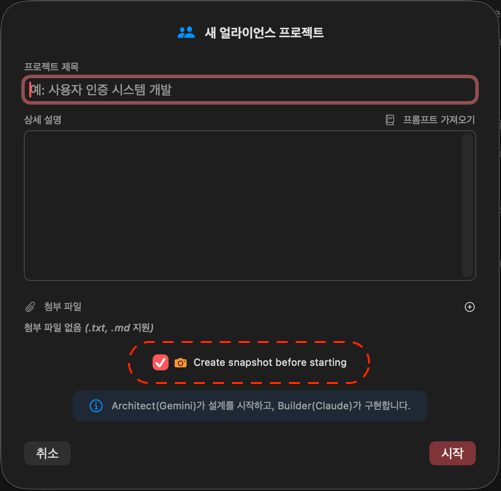
- The new project sheet includes a "Create snapshot before starting" checkbox (default: ON)
- When checked, a full project snapshot is automatically created before Alliance begins
- The snapshot message includes the Alliance project title
Recommended: If you plan to run Alliance multiple times or expect large-scale changes, keep the snapshot option enabled so you can always restore to a previous state.
File Handling on Re-run
When starting a new project, previous run files are automatically cleaned up:
| Item | Behavior |
|---|---|
state.json | Overwritten with new project data |
docs/ folder | Previous document files auto-deleted, then new documents created |
daemon.log | Appended to |
history.json | Previous execution records preserved (not deleted) |
Fast Mode
For simple tasks (bug fixes, refactoring, tests, etc.), the PR and P0 phases are skipped and the workflow starts directly from P1:
| Mode | Starting Phase | Best For |
|---|---|---|
| Creative (default) | PR (Research) | New projects, large-scale features |
| Fast | P1 (Design) | Bug fixes, refactoring, tests |
bug, fix, refactoring, test
Colligi Analysis Document Integration
When you attach a Colligi analysis report to Alliance, keywords in the report (such as fix, test, refactor) can automatically trigger Fast mode, skipping PR and P0.
Regular input:     PR → P0 → P1 → P2 → P3 → P4 → P5  (7 phases)
Colligi input:        ──────→ P1 → P2 → P3 → P4 → P5  (5 phases)
Recommended Workflow: For large-scale projects, the most effective approach is a two-step workflow: First analyze with Colligi → Attach the results to Alliance → Automated design through implementation.
File Attachments
You can attach .txt or .md files in the new project sheet:
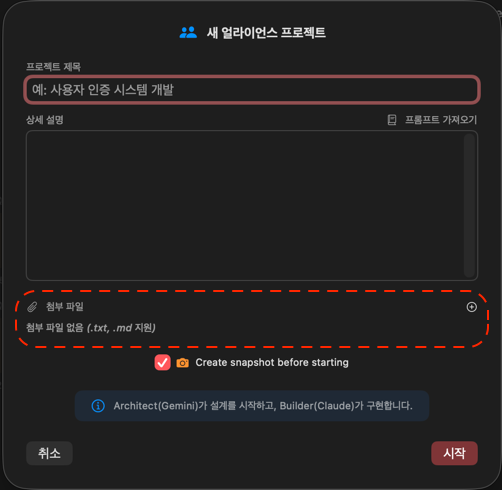
- Use the
+button in the Attachments area to add files - Only
.txtand.mdformats are supported - Multiple files can be attached simultaneously
- Attached file contents are automatically merged into the project description and passed to the AI
Instead of copy-pasting a Colligi analysis report into the description field, you can simply attach it as a file for convenience.
Autonomous Mode
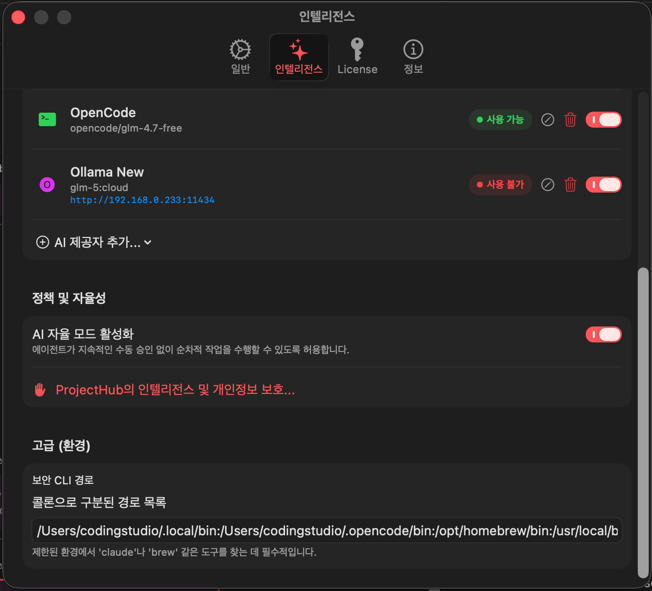
When autonomous mode is enabled, Human Checkpoints and Fix Checkpoints are handled automatically:
- At P0, the first option is automatically selected
- At P4, automatic retry is performed
Warning: In autonomous mode, the entire pipeline runs without user intervention. It is recommended to disable this for important projects.
Autonomous mode setting: Settings → Intelligence → Autonomous Mode toggle
Safety Limits
| Limit | Value | Description |
|---|---|---|
| Max Iterations | 20 | Maximum total document processing cycles |
| Max Docs per Phase | 10 | Maximum documents generated in a single phase |
| CLI Timeout | 5 minutes | Maximum time per AI CLI execution |
| Retries | 3 | Retries on connection errors (10-second intervals) |
Output Location
{project}/
└── .projecthub/
    └── alliance/
        ├── state.json                                     # Workflow state
        ├── history.json                                   # Execution history
        ├── daemon.log                                     # Daemon log
        ├── daemon.pid                                     # Daemon process ID
        └── docs/
            ├── SEQ-001_PHASE-PR_goal_input_*.md          # Goal input
            ├── SEQ-002_PHASE-PR_research_gemini_*.md     # Architect research
            ├── SEQ-003_PHASE-PR_research_claude_*.md     # Builder research
            ├── SEQ-004_PHASE-PR_research_summary_*.md    # Research merge
            ├── SEQ-005_PHASE-P0_idea_pitch_*.md          # Idea pitch
            ├── SEQ-006_PHASE-P0_critical_review_*.md     # Critical review
            ├── ...                                        # (subsequent documents)
            └── SEQ-XXX_PHASE-P5_final_report_merged_*.md # Final report
Use Cases
Full Project Development
Build a Todo app.
Use a React + TypeScript + Supabase stack,
with user authentication, CRUD, and real-time sync features.
Alliance manages the entire development cycle from research through implementation and audit.
Large-Scale Refactoring
Convert the current project to a microservices architecture.
Analyze the existing monolith code and create a service decomposition plan.
Technology Migration
Migrate this project's JavaScript to TypeScript.
Convert incrementally without breaking existing functionality.